Ripple
Establishing a design system filter pattern
I designed one reusable filter so people can narrow dense payment tables and still see the data.
- 66%Reduced time on task
- 10+Product features unified
- 1Scalable workflow
Problem
Ripple’s existing filter design wasn’t built for scale. As more filters were added, the layout pushed data down the screen, slowed designers, and lacked a way to save commonly used filter sets.
How might we create a filter experience that is scalable, consistent, and efficient across B2B products?
What I did
At Ripple, I designed a scalable filter system pattern for data tables as part of the company’s design system. The goal of this work was to increase consistency across products and supporting a scalable UX framework.
Process
I audited patterns across the product, explored how filters could accommodate different data types and workflows, and designed a flexible component that made dense information easier to navigate. I also documented interaction guidance and collaborated with designers and engineers to ensure the pattern was reusable, consistent, and ready for adoption across Ripple’s enterprise products.
I analyzed existing patterns across fintech and SaaS tools:
- Mint: Chips + popover → good for quick removal of active filters.
- Charles Schwab: Grouped modal filters → strong personalization but obscured critical table data.
- Salesforce: Side panel filters with “Save sets” → preserved data visibility and added reusability.
This analysis shaped my approach toward a side panel solution with chip-style visibility.
Solution
I explored different layouts and landed on a sliding side panel that matched the table height.
Key design decisions:
- Surface most-used filters upfront
- Collapse additional filters under “+ More Filters”
- Add “Save and Apply” alongside quick “Apply”
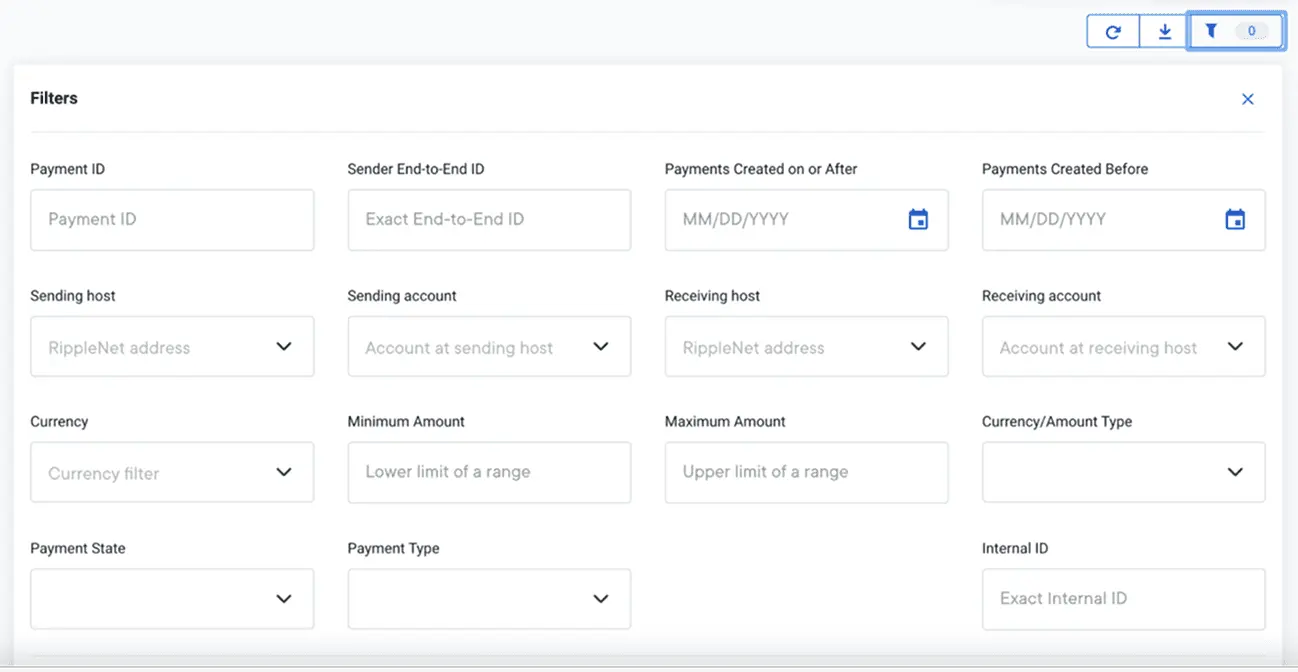
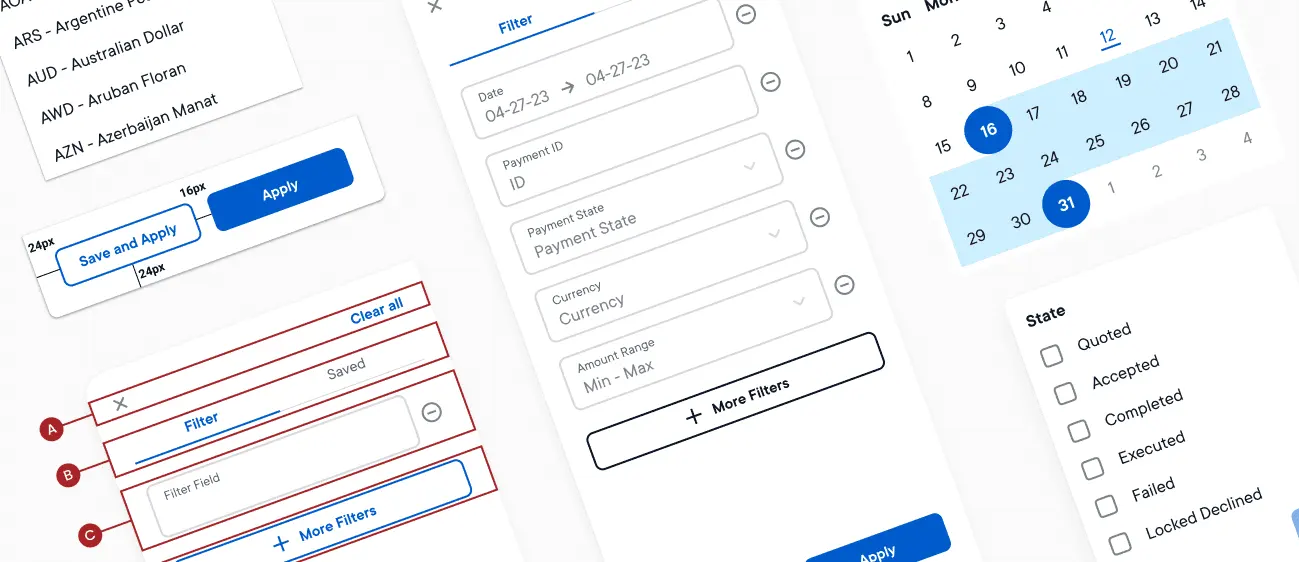
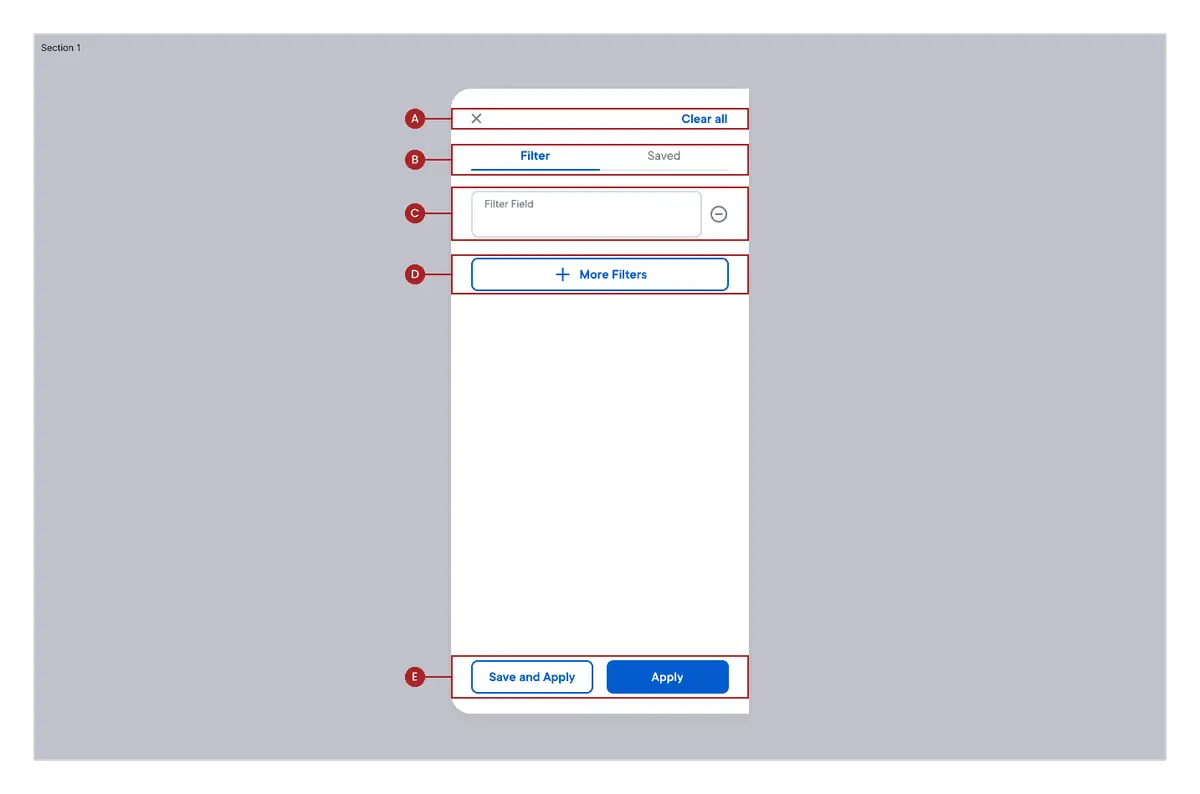
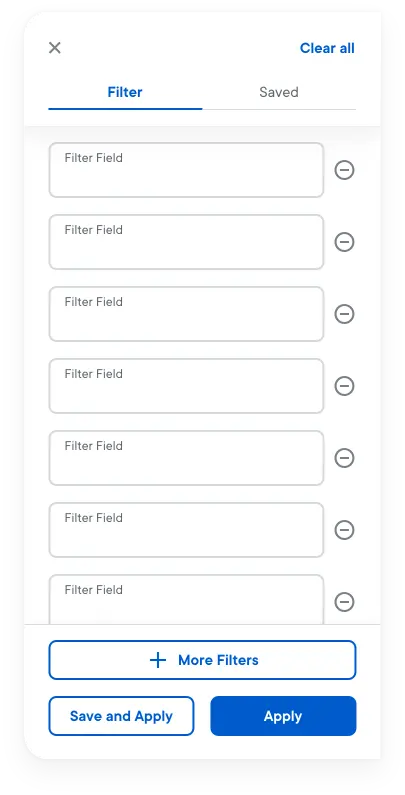
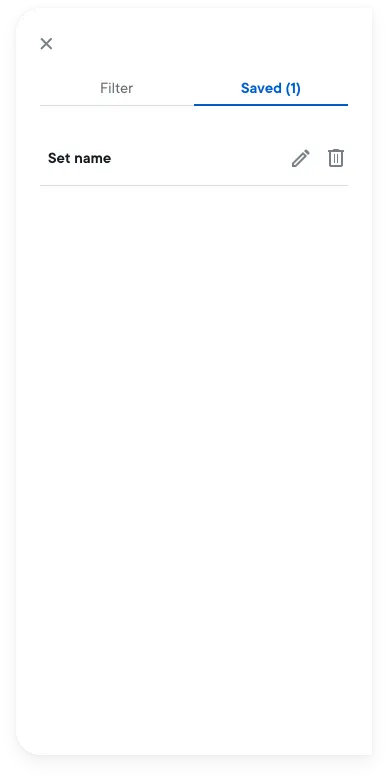
I created side-panel filter components, defined interaction patterns, and piloted usability testing to ensure the pattern was intuitive, efficient, and ready for reuse across multiple products. I also worked with cross-functional teams to integrate the new filter system into the design system library.
Testing
Since usability testing wasn’t standard for the Design Systems team, I piloted a lightweight test plan.
Findings:
- Users could easily locate filters, though some confused filter vs sort
- Icon-only “Save” wasn’t intuitive → replaced with labeled button
- Side panel was intuitive and preferred over modals
A scalable pattern that preserves data visibility while making complex filtering easier to use.
What I learned
This project was an important milestone in my growth as a systems thinker.
I learned how to balance scalability vs simplicity, ensuring the component works across multiple contexts without overwhelming the user.
Piloting usability testing in a design systems context showed me the value of bringing evidence into foundational design decisions, not just product features.
If I could push further, I would explore cross-product adoption: how filters could be standardized not just within one table type but across multiple tools in Ripple’s ecosystem.